Tampilkan postingan dengan label CD/DVD Tools. Tampilkan semua postingan

Senin, 28 Mei 2012

Ashampoo Burning Studio 2012 Full Activation

Ashampoo Burning Studio 2012 Full Activation

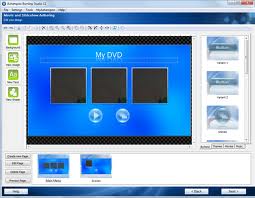
Ashampoo Burning Studio 2012 Full Version - Adalah software yang berguna untuk memburning file-file yang kita miliki ke dalam media CD, DVD dan Blue-ray. Walaupun ukuran filenya tidak sebesar nero dan program burning terkenal lainnya, Ashampoo Burning Studio 2012 full versi tidak akan kalah dalam masalah burning mem-burning file ke media CD/DVD/Blue-ray. Software ini memiliki authoring yang super cepat dalam membuat video dan audio disk dengan format terbaru, selain itu Ashampoo Burning Studio mendukung video HD dan full HD untuk Blue-ray.

Features
  • Burn and update data to CD, DVD or Blu-ray discs
  • Back up your data to single or multiple discs
  • Rip music from CDs and burn music to audio CDs and MP3 or WMA discs
  • Burn movies and photos to DVDs and data discs
  • Movie editor with DVD authoring
  • Create high-quality DVD slideshows
  • Copy CDs, DVDs and Blu-ray discs
  • Create and burn disc images
  • Quick and easy erase rewriteable discs
  • Expert burn functions for full control
  • Create covers and labels


Download Link:

Rabu, 23 Mei 2012

Blu-Ray.Creator.2 v2.0.4.20120208 Full with Keygen


Blu-Ray.Creator.2 v2.0.4.20120208 Full with Keygen
Blu-Ray.Creator.2 v2.0.4.20120208 Full with Keygen | 32.6 MB

Xilisoft Blu-ray Creator 2 is tools can converts and burns various Blu-ray video discs and AVCHD DVDs with several resolutions to choose from, and even create BDMV ISO and AVCHD ISO from your videos. and Xilisoft Blu-ray Creator 2 supported to : AVI, MP4, MKV, DV, MPEG, QuickTime Video (MOV, QT), Real Video (RM, RMVB), WMV, DivX, XviD, H.264/AVC, ASF, DAT, FLV, VOB, and 3GP, especially HD camcorder videos (M2TS, MTS, TS), iPhone 4 videos (MOV).


Features :
  • Make Your DV Movies into Blu-ray Discs
  • Create and Burn Blu-ray Discs
  • Full-Support and Hight Compatibility
  • Personalized BLU-Ray DVDs
Download Link:


Kamis, 10 Mei 2012

UltraISO Premium Edition 9.5.3.2855 Full Keygen


UltraISO Premium Edition 9.5.3.2855 Full Keygen


UltraISO Premiun Edition 9.5.0 Kali ini UltraISO udah Update Lagi lhoo . Ke Versi terbarunya , Siapa sih yang gak kenal software yang satu ini . Software yang paling Cocok untuk membuat Bootable CD / DVD ,BIN , Dan tentunya . ISO , Dan kali ini Akan saya update UltraISO yang tentunya Dengan Keygennya jadi Kalian gak perlu Takut masalah Trial Atau lainnya .
System Requirement
  • Windows 7/2008/Vista/2003/XP (32bit and 64bit), Windows 2000, ME, 98SE, 98, or Windows NT4.0 SP6a+ operating system .
  • Intel Pentium 166MHz or above.
  • 64MB memory.
  • At least 10MB free hard disk space .
  • CD-ROM, CD-R/RW, DVD-ROM, the DVD-R/RW driver (copy compact disc image needs).
  • Mouse.
Main Features
  • Can directly edit the ISO image file.
  • Can directly extract files and folders from ISO image file
  • Can add / delete /create new directory /rename ISO file image content.
  • Can make ISO file from hard disk document.
  • Can create CD/DVD image from CD/DVD-ROM, maintain bootable information.
  • Can process the compact disc boot information, you can directly add/remove/extract boot image of the ISO image.
  • Supports nearly all known CD/DVD image file formats (.ISO, .BIN, .IMG, .CIF, .NRG, .MDS, .CCD, .BWI, .ISZ, .DMG, .DAA, .UIF, .HFS and so on) , and can convert them to the industry standard and widely supported ISO image format.
  • May directly set the file/folder to hidden attribute
  • Supports ISO 9660 Level1/2/3 and Joliet extension
  • Automatically optimizes the ISO image file structure, saves the disc space.
  • Supports the shell document type integration, Open Image files through double clicking them or the Right Click menu of the mouse with the open dialog.
  • The double window user interface is extremely convenient to use.
  • There are rich add-on tools, you can create ALL in 1 bootable compact discs, CD/DVD image file management, even the virtual CD/DVD drive , those functions are really powerful.

UltraISO Premium Edition 9.5.3.2855 Full Keygen

Download  Link:


PERHATIAN!
Untuk cara downloadnya Anda akan diarahkan ke adf.ly kemudian tunggu 5 detik dan cari tombol SKIP AD yang berada di sebelah kanan atas monitor anda.

Semoga bermanfaat.


Kamis, 19 April 2012

WINMOUNT 3.5 FULL VERSION KEYGEN


WinMount adalah salah satu aplikasi utilities yang dapat digunakan untuk meng-archive file dan software ini merupakan software alternative WinRAR/ WinZip untuk mengelola, membuka, mengextract arsip yang telah terkompres.

Supported formats: MOU, RAR, ZIP, 7Z, CAB, ARJ, ISO, GZ, BZ2, TAR, WIM, ISO, BIN, BWT, MDS/MDF, NRG, IMG, ISZ, CUE, CCD, APE, FLAC, WV, VHD, VDI, VMDK.

Winmount sering juga digunakan untuk berperan sebagai virtual CD-ROM dalam game yang memerlukan CD-ROM untuk memainkannya.


screenshot:


Download Link:

Ashampoo Burning Studio 11 Full + Crack


Ashampoo Burning Studio 11 Full + Crack | Already familiar with Ashampoo Burning Studio 11 Full + Crack this? Yes, Ashampoo Burning Studio 11 Full + Crack is one of the software that you can count on in the affairs of burning CD / DVD. Starting from the Burning Video, Audio, and Data. Ashampoo Burning Studio 11 + Crack also you can use to design a box cover or CD / DVD you are. Complete it?
 
 
Ashampoo Burning Studio adapts to new technology to always meet your needs. Therefore it does not only include the all-time popular features for all your burning tasks, but also provides ideal solutions for smartphones, social networks, cloud services and modern multi-core processors.

When speed is concerned Ashampoo Burning Studio 11 is well ahead. With its new multi-core support Pls Preparing the video contents, you can Achieve higher speeds for burning far quicker results.

 
The new Compact Mode with its modern and elegant design is always available on the desktop and includes the most Important functions for anyone Who Wants to Quickly burn data.

Nowadays, We Are Able to access our data anywhere via social networks and cloud or other online services. Had this development also has influence on the latest features of the program. Now you have access to your contents from online resources, Such as Facebook, Flickr, Picasa or Dropbox.

With the new file dialog selecting and adding media has Become incredibly comfortable. Through just one interface you can access all available resources, internal (eg hard disc drives) as well as external (eg digital cameras) or online (eg Flickr). Selected files can be viewed using the integrated preview and be added to your project.

 
Slideshows of your Flickr photos, audio CDs, Blu-ray Discs with HD videos, video CDs or backup discs are only A Few of numerous ideas how you can use your Ashampoo Burning Studio.

From the easy to use program interface to the Compact Mode, Ashampoo Burning Studio 11 is very user friendly and intuitive even new users so That Their projects can start instantly.
 
Operating System:
Windows® XP, Windows Vista®, Windows®7
As a user of Windows® XP, Windows Vista® and Windows®7 you have to be logged in with full administration rights.

Computer:
Any computer that runs one of the above operating systems at a reasonable speed, graphic adapter min.resolution 800 x 600 with 1 MB memory and 16-bit High color, CD/DVD/BD-Writer.
Recommended for burning Video Discs and Slideshow Discs: DirectX 9 capable GPU with hardware pixel shader v2.0, min.resolution 1024 x 768 with 128 MB graphics memory and 32-bit (True color) display.

CPU:
1200 MHz (or higher) x86/X64 CPU, 3000 MHz recommended for burning Video Discs and Slideshow Discs.

 
RAM and disk space:
1024 MB RAM (2 GB for Blu-ray Video),
Hard Disk Space 380 MB, additional space for image and temporary files (5 GB recommended, 50-100 GB for Blu-ray Video).
Recommended for best performance: 2 GB RAM or more.

Software:
Windows Media Player 9 or higher recommended, DirectX 9.0c required for GPU acceleration.
Required to use LightScribe:
LightScribe System Software 1.17.90.1 and Microsoft .NET Framework 4.0

Tips:
During installation, remove checlist AutoUpdatenya.
 
Download Link:

Selasa, 17 April 2012

DAEMON Tools Pro Advanced 5 + Loader

DAEMON Tools Pro Advanced 5 + Loader

DAEMON Tools Pro Advanced 5 Full Version - Selain di gunakan untuk keperluan burning file dari PC ke CD/DVD, DAEMON Tools juga dapat kita gunakan untuk membuat virtual drive. Dengan fitur virtual drive ini kita tidak perlu lagi memburning file ISO ke dalam CD/DVD untuk menginstall suatu game maupun software. Kelebihan DAEMON tools dari software sejenis salah satunya adalah dapat membuka hampir semua jenis file image seperti *.b5t, *.b6t, *.bwt, *.ccd, *.cdi, *.cue, *.nrg, *.pdi, *.isz, *.iso, dll.

Screenshot

Functionality
  • Mount *.mdx, *.mds/*.mdf, *.iso, *.b5t, *.b6t, *.bwt, *.ccd, *.cdi, *.bin/*.cue, *.ape/*.cue, *.flac/*.cue, *.nrg, *.isz disc images to a virtual drive
  • Convert images from all supported formats to *.mdf/*.mds, *.mdx, *.iso
  • Make .iso, *.mds/*.mdf and *.mdx images of CD, DVD, Blu-ray discs
  • Make a compressed disc image or split the image to several files
  • Protect images with password


Features
  • Create or edit images with powerful Image Editor
  • Burn created images to media discs
  • Burn images with RMPS data
  • Compose your own images of selected type (CD/DVD disc) with preferred file system (ISO9660+Joliet, UDF)
  • Master bootable discs or images
  • Manage your Image Collection


Link download

Sabtu, 07 April 2012

DAEMON Tools Pro Advanced 5 Full


DAEMON Tools Pro Advanced 5 Full Keygen adalah software burning yang digunakan untuk memount/burning software berformat iso. Daripada file .iso harus di ektrak, mending mount aja pakai software ini, terutama bagi yang harddisknya minim hehe. Ketika kita mount, nanti otomatis akan membuat drive sendiri yang berisi hasil mount kita.


Screenshot:


Key Features:
  • Creates *.iso and *.mds images using preset profiles;
  • Emulates up to 32 CD/DVD/HD DVD/Blu-ray drives;
  • Supports up to 2 virtual IDE devices;
  • Burning verify functionality;
  • Compresses images;
  • Performs image mounting to physical folders;
  • Protects image with password;
  • Manages image collection’s;
  • Includes image converter;
  • Monitors virtual devices’ properties;
  • Offers friendly Graphical User Interface (GUI).

Senin, 19 Maret 2012

Nero Multimedia Suite 11 Full Version + Patch

Nero Multimedia Suite 11 Full Version + Patch [11.0.11000] - Nero multimedia kini kembali hadir dengan versi terbarunya yaitu Nero Multimedia Suite 11 Full Version. Fungsi nero sendiri adalah untuk membantu kita dalam keperluan Rip, Burn, BackUp, Convert dan lain-lain. Dan di dalam nero multimedia suite ini terdapat beberapa produk nero di antaranya Video Editing, Burning with Nero Burning ROM, Backup with Nero BackItUp & Burn dll.


Screenshot

New Features
  • Integrated Nero MediaBrowser : From any project you can access your library of music, photos and videos with just one click.
  • Create photo books : Create lasting memories with your family pictures in just seconds with personalized photo books, calendars and cards.
  • Easy and Advanced Video Editing Modes : Easily switch from Express Editing to Advanced Editing with just one click.
  • Nero LIVEBackup : 24-7 Peace-of-mind backup with one-click Nero LIVEBackup for all your digital files and even the entire system.
  • Windows Live Movie Maker : Seamlessly import and enhance Windows Live Movie Maker projects directly in Nero 11

Link download

Installasi
1. Install Nero MS
2. Setelah ketemu dengan pilihan memasukan serial, Masukan serial yang ada (9004-027E-UM18-71C6-57TK-P034-UU8X-0U4A) >> klik Next >> pilih I accept the terms........
3. Klik Next >> pilih No Thanks >> klik Install dan tunggu installasinya sampai finish.
4. Buka folder Patch dan Copy - Paste Patchnya di C-Program Files-Nero-KM. Jalankan dengan cara
klik kanan pilih Run as Administrator >> klik Patch dan tunggu hingga muncul tulisan patch sukses.
5. Selesai
Semoga Bermanfaat

UltraISO Premium Edition 9.5.2 + Keygen


UltraISO Premium Edition 9.5.2 + Serial Download
UltraISO  is an ISO CD/DVD image file creating/editing/converting tool and a bootable CD/DVD maker , it can directly edit the CD/DVD image file and extract files and folders from it, as well as directly make ISO files from your CD/DVD-ROM or  hard disk. At the same time, you can maintain the ISO bootable information, thus creating your own bootable CD/DVDs. You now have the power to make and  edit your own ISO files, and then burn them to CD/DVD for your own needs.

UltraISO is in sole possession of the intellectualized ISO document format analyzer, it can process at the present time almost all types of image files, including  ISO and BIN, it may even support new image files which are yet to be created. UltraISO can open these image files, directly extract files and folders, edit it and convert other image files to the standard ISO format.

UltraISO uses the double window unification user contact interface, you have the choice to only use the quick buttons and/or the mouse Drag & Drops, you can handle any CD/DVD image file easily.

System Requirement :
  • Windows 7/2008/Vista/2003/XP (32bit and 64bit), Windows 2000, ME, 98SE, 98, or Windows NT4.0 SP6a+ operating system .
  • Intel Pentium 166MHz or above.
  • 64MB memory.
  • At least 10MB free hard disk space .
  • CD-ROM, CD-R/RW, DVD-ROM, the DVD-R/RW driver (copy compact disc image needs).

Main Features :
  • Can directly edit the ISO image file.
  • Can directly extract files and folders from ISO image file
  • Can add / delete /create new directory /rename ISO file image content.
  • Can make ISO file from hard disk document.
  • Can create CD/DVD image from CD/DVD-ROM, maintain bootable information.
  • Can process the compact disc boot information, you can directly add/remove/extract boot image of the ISO image.
  • Supports nearly all known CD/DVD image file formats (.ISO, .BIN, .IMG, .CIF, .NRG, .MDS, .CCD, .BWI, .ISZ, .DMG, .DAA, .UIF, .HFS and so on) , and can convert them to the industry standard and widely supported ISO image format.
  • May directly set the file/folder to hidden attribute
  • Supports ISO 9660 Level1/2/3 and Joliet extension
  • Automatically optimizes the ISO image file structure, saves the disc space.
  • Supports the shell document type integration, Open Image files through double clicking them or the Right Click menu of the mouse with the open dialog.
  • The double window user interface is extremely convenient to use.
  • There are rich add-on tools, you can create ALL in 1 bootable compact discs, CD/DVD image file management, even the virtual CD/DVD drive , those functions are really powerful.

Installation Step :
1. Run Setup until finish
2. Disconnect Internet Connection
3. Run UltraISO, then Register.
4. Fill with Name and Serial in downloaded file
5. Enjoy
 
Screenshot:
 
 
Link Download